Golden Valley Instructional Leadership Team
  • Home
    • Team Member Bio & Contact Info
    • Site Visitations
  • Pedagogy
    • Lesson Ideas >
      • Hyperdocs & Interactive Activities
      • Building Lessons with EDPuzzle
      • Math Drag & Drop: Creating CCSS-Style Questions Digitally
      • Interactive Digital Activities
      • Thinglinks
      • Speaking Encounters of the Close Kind: A Group Speaking Activity
    • Checking for Understanding >
      • Leveling Up Questions
      • Exit Slips and Checking for Understanding
      • Poll Everywhere: Quick Checking for Understanding in a Variety of Ways
      • Combining Lower-Level Kahoot Questions with Higher-Level Classroom Questions
    • Reading Across the Curriculum >
      • Reading for Meaning: Into-Through-Beyond Strategies
      • Text Reading in Social Science
      • Say, Work, Mean: A Close Reading Strategy
      • Reading in the Math Classroom
    • Writing Across the Curriculum >
      • Framing Thinking to Improve Science and Technical Writing
      • Writing in English, Social Science, Math & Electives
    • Craft Questions that Prompt Thoughtful Response
    • Quizlet Flashcards
    • Project-Based Learning >
      • PBL/PrBL Planning Resources
    • Digital Annotation
    • Intro to MyOpenMath
    • Curating CCSS Materials
    • Padlet in the Classroom
    • Using Video Effectively
    • Side by Side, Step by Step
  • Workflow
    • Creating Rosters with Email in Aeries.net
    • Google Classroom
    • Add-ons >
      • Add-ons to Turbo Charge Your Docs
      • Flubaroo
      • Doctopus
    • Teaching from a Website
    • Haiku Deck PD
    • Google Forms
    • Chrome Extensions
    • Google Voice
    • Gmail & Google Calendar
    • Chromebook and Google Drive Basics Boot Camp
  • Digital Citizenship
    • Classroom Tech Etiquette
    • Positive Digital Footprint
    • Tech Etiquette
    • Collaborative Troubleshooting in the Chrome Class
    • Email Etiquette
  • PD Sessions
    • Summer ILT Training 2015
    • March 25 Collaboration Burke Book #3
    • Speaking Extravaganza - March 13, 2015
    • Collab Sept 24/Oct 1
    • August Back to School Days
    • Summer ILT Trainings
    • Staff Collab 5/21/14
    • Min Day - May 16, 2014
    • Min Day - Feb 13, 2014
  • Ed Camp GV
    • Ed Camp Feb 10, 2016
    • Ed Camp Sept 30, 2015
    • Ed Camp August 13, 2015
  • GV 1:Web
    • Technology Glossary
  • Return to GVHS
Picture

Session
Objectives

Teachers will evaluate the frequency and effectiveness of their own checking for understanding practices and commit to revisions where needed.

Picture
250 empirical studies confirm that formative assessments (checking for understanding) can double student learning outcomes (Finley, 2014)

Reflect on Checking for Understanding

When is teacher talk too much talk?

When in the lesson should we check for understanding?
  • It should be more often than just the instruction part of the lesson. 
  • Consider when to engage in CFU:
    • when you give a set of instructions.
    • when you develop concept.
    • when you model skills with teacher think-alouds.
    • when students are working with groups
    • when students are working independently

What are some of your best practices for checking for understanding in your classroom? 

Under what circumstances is checking for understanding more of a struggle?
Picture

Sharing Our Best Practices!

Click here to edit the ELA Sheet
Click here to edit the Electives Sheet
Click here to edit the Math Sheet
Click here to edit the Social Science Sheet
Click here to edit Science & Ag Sheet

Wait Time/Think Time

Picture
Make sure that you provide students with plenty of time to think about an answer. 

When you pose a question, ask students to think about it.  Provide a minimum of 5 to 7 seconds.  More time needed for higher level questions.


Random Call

  • Random call is a great way to check to see if students understood.  Volunteers often UNDERSTAND. This is why they volunteer.
  • Random selection can be a scary “gotcha!” if not done with compassion and kindness.    
  • Warn students that it is coming. No surprises.  
  • True random means that kids can be called more than once in a session. 
Picture

Hand Rubrics
(replace “how many of you…” questions with full-class response)

Create a protocol for response: a verbal cue and an expectation for how/where students will hold fingers.
  • For evaluation questions: scale of 1 - 4, 4 being high
  • For true/false questions: thumbs up/down or fingers 1 or 2 (1 = true, 2 = false)

Using hand rubrics cultivates a positive climate:
  • requiring participation suggests every student’s thinking is important to us 
  • looking at their responses creates brief contact; it’s listening
Picture
Picture

Exit Slips

Picture
Ask higher-order questions and/or questions reflective of objective
  • Allow time for writing response
  • Provide feedback 
  • Respond to the students’ ideas soon but not necessarily in writing; possible response strategy: 
  • Read and organize responses by correctness or creativity in under five minutes. 
  • The next day acknowledge their effort and address trends in student weakness, excellence where observed, and any adjustments in instruction made to meet student needs.
  • Possibly select one or two to read to the class. 

As long as the verbal response is immediate and specific, it is enough to build student motivation and foster relationships. Students know we’re reading their ideas; we are listening.

Picture
Picture
Use exit slips to do any of the following:
  • Provide Formative Assessment Data; students rate themselves and explain the rating, e.g., Rate your understanding as follows and then explain your rating: 3 = I understand what we did and how to use it, 2 = I understand what we did but not really how to use it, 1 = I understand some but am still confused. Stimulate Student Self-Analysis, e.g. “How hard did you work today? Explain why you think you worked at the level you did.”
  • Focus on Instructional Strategies; require students to reflect on the effectiveness of various strategies for them, e.g. “How did the group work today help you understand the content? What are some things you’d like to see during the group work in the future?”
  • Open communication to the teacher, e.g. “What is something I could be doing to improve your understanding of the content?” (Marzano, 2007)

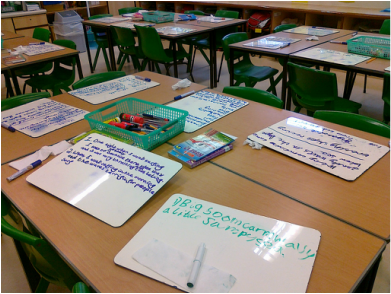
White Boards

Considerations
  • Provide a workspace for students to express thinking, brainstorming and problem solving
  • Removes anxiety because students can erase mistakes
  • Easy to use. No technology to learn/incorporate and kids like them!

Picture
ClassroomB Student Whiteboards by David Woo from https://www.flickr.com/photos/mckln/5058626641/
Ideas
  • Alternate direct instruction with whiteboard practice throughout a lesson (teach > practice > teach > practice)
  • Great for prewriting! (before a summary for example)
  • Use as answer space when using question stems
  • Students use a number scale to rate understanding of concept 
  • Simple, five word summaries

Easy to make using sheet protectors and cardstock.
Picture
Picture
Use proximity while students work:  
 Peer over shoulders
 Spy on Google work from your screen
 Look at whiteboard work.


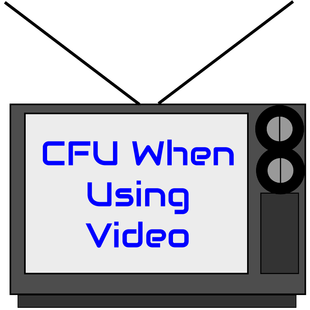
  • When using short videos, consider using a watching task/purpose to direct student thinking.  

  • When using longer videos, consider using an app like EDpuzzle to periodically pause for CFU.  You can build the CFU questions right into the video.  You can do similar with Google Forms.

Picture

Picture
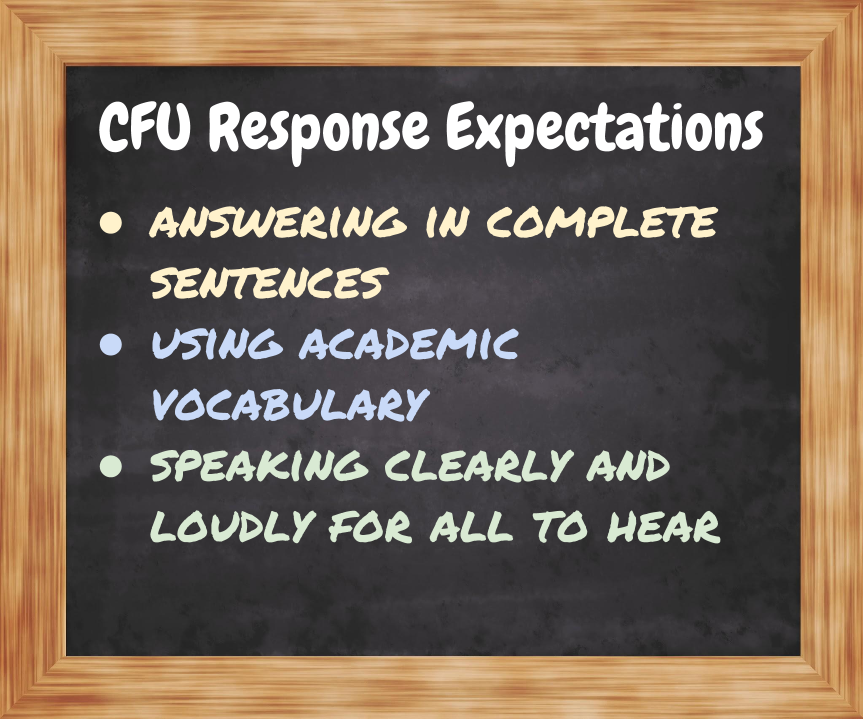
When kids struggle to meet these standards, provide feedback and ask students to repeat their answers to meet the standards. 

More Resources and Ideas for CFUs

  • Edutopia - Dipsticks: Efficient Ways to Check for Understanding
  • Edutopia - 53 Ways to Check for Understanding
  • Poll Everywhere
  • Socrative
  • EDpuzzle
  • Kahoot
  • An embedable randomizer for your Weebly website
  • Nearpod - pay site
  • Peardeck - pay site

Please complete this SURVEY. Thank you!

Unattributed images are either public domain or created by Stacey Cool.

Powered by Create your own unique website with customizable templates.